Skip to content
View in the app

A better way to browse. Learn more.

Invision Developers

A full-screen app on your home screen with push notifications, badges and more.

To install this app on iOS and iPadOS
  1. Tap the Share icon in Safari
  2. Scroll the menu and tap Add to Home Screen.
  3. Tap Add in the top-right corner.
To install this app on Android
  1. Tap the 3-dot menu (⋮) in the top-right corner of the browser.
  2. Tap Add to Home screen or Install app.
  3. Confirm by tapping Install.
New Invision Marketplace

Profile Statistics 2.0.4

(0 reviews)

4 Screenshots

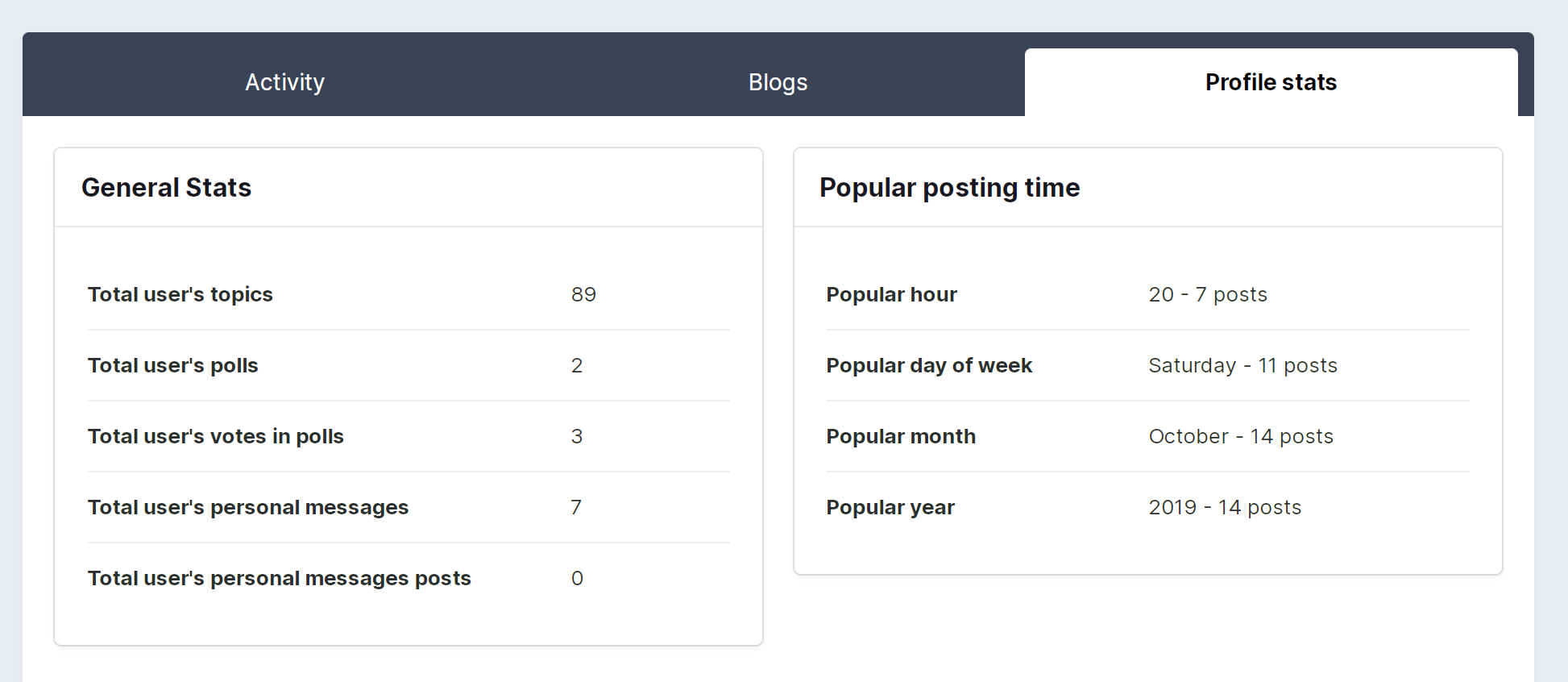
The application collects basic statistics of user activity and displays it in the tables and charts in a separate tab in the profile. You can control which user groups will be able to view the tab with such statistics.

Thanks for alexxis for sponsoring this app.

Capabilities

  • Block with basic statistics - the number of topics, posts, polls, etc.
  • Block with information displaying the most active time periods - hour, day of the week, month, year.
  • User activity chart by hours, days of the week, months and years.
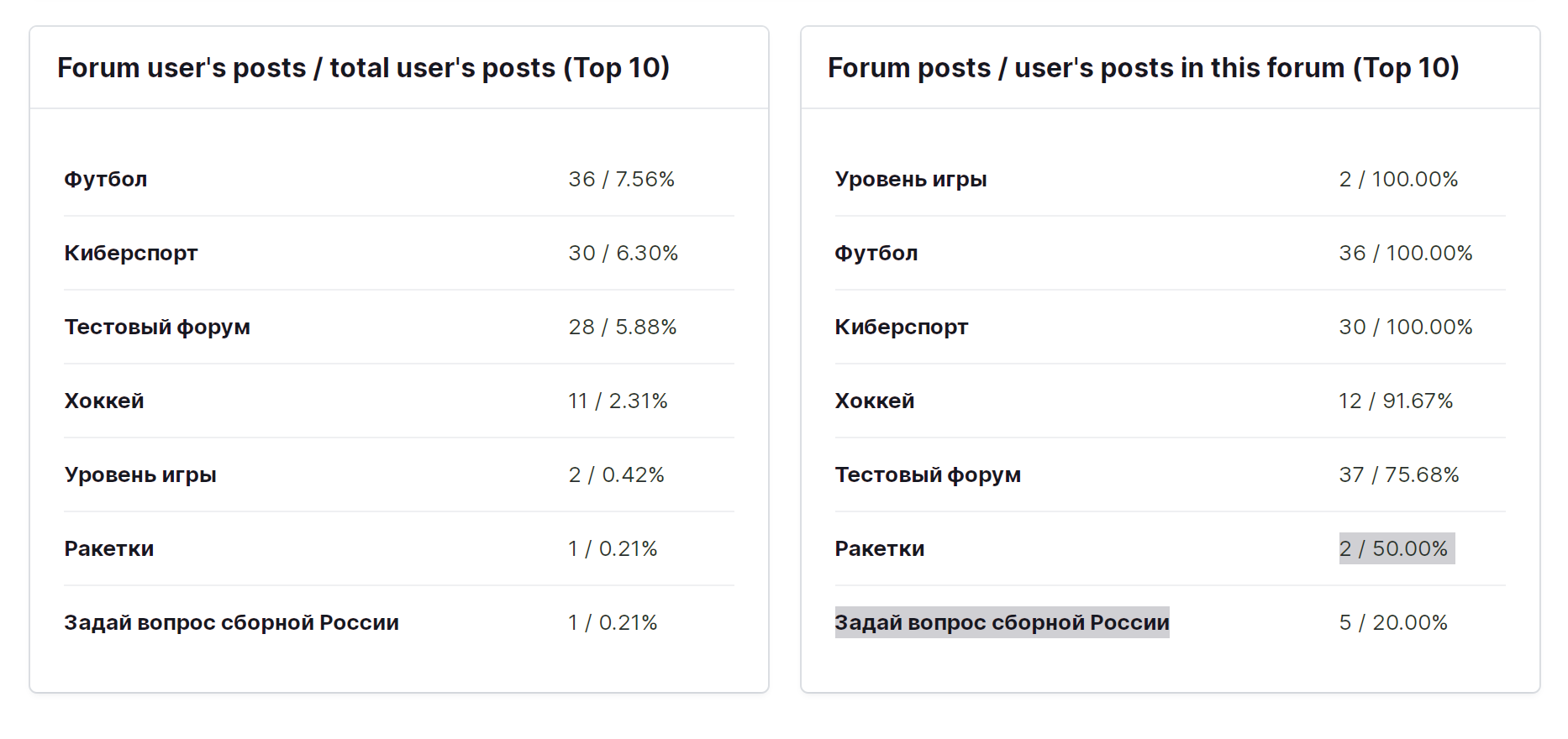
  • User activity on specific forums, percentage of activity.
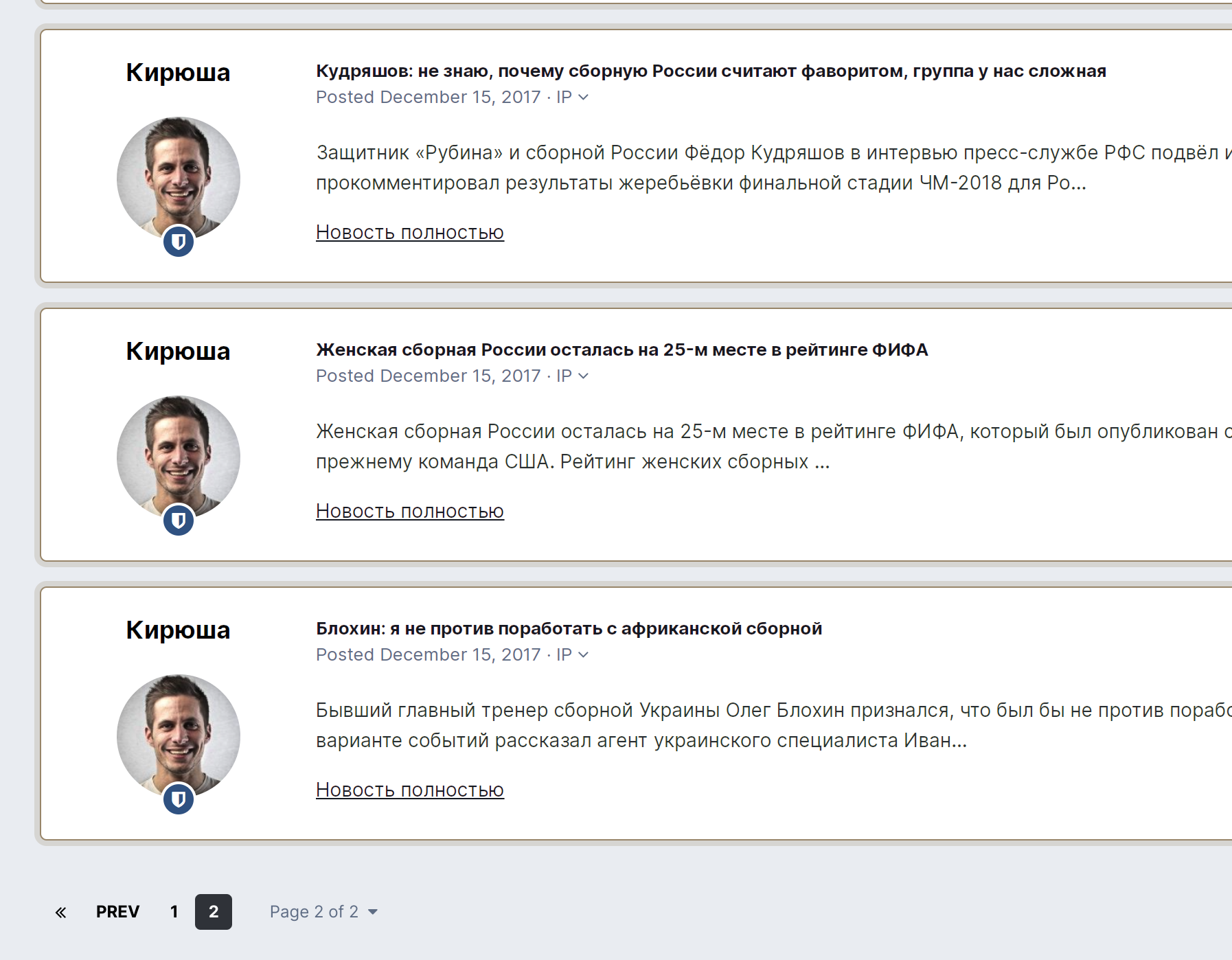
  • A section in each forum that collects all posts by a particular user in chronological order.

What's New in Version 2.0.4

Released

  • Some HTML and CSS fixes
  • Some bug fixes

User Feedback

You may only provide a review once you have downloaded the file.

There are no reviews to display.

Account

Navigation

Search

Search

Configure browser push notifications

Chrome (Android)
  1. Tap the lock icon next to the address bar.
  2. Tap Permissions → Notifications.
  3. Adjust your preference.
Chrome (Desktop)
  1. Click the padlock icon in the address bar.
  2. Select Site settings.
  3. Find Notifications and adjust your preference.