
Skip to content
View in the app

A better way to browse. Learn more.

Invision Developers

A full-screen app on your home screen with push notifications, badges and more.

To install this app on iOS and iPadOS
  1. Tap the Share icon in Safari
  2. Scroll the menu and tap Add to Home Screen.
  3. Tap Add in the top-right corner.
To install this app on Android
  1. Tap the 3-dot menu (⋮) in the top-right corner of the browser.
  2. Tap Add to Home screen or Install app.
  3. Confirm by tapping Install.
New Invision Marketplace

Coinbase Payment Gateway 1.0.0

30.00 USD · Renewal Term: 15.00 USD/6 months

(1 review)

3 Screenshots

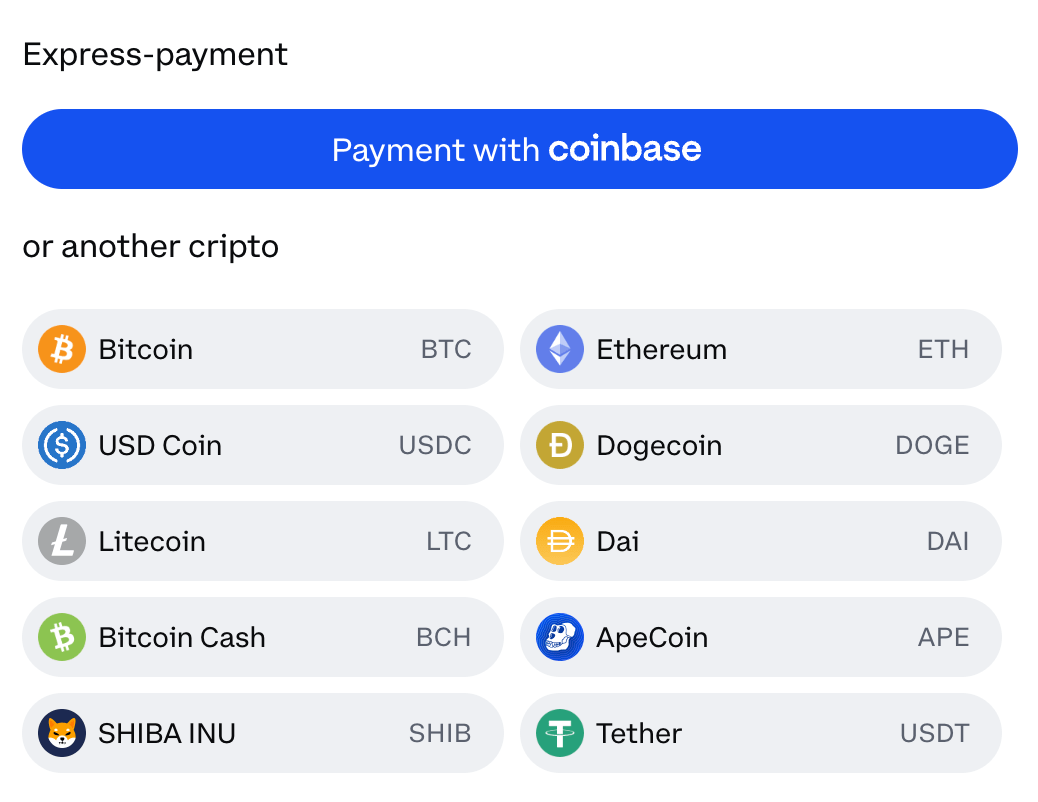
Coinbase Payment Gateway for Invision Community. Coinbase Commerce is the easiest way to start accepting crypto payments:

  • Reduced operational costs: no chargebacks to manage and lower fees vs. some traditional payment methods.
  • Multi-asset support: over 10 of the most popular crypto assets accepted and growing.
  • Access to Coinbase’s millions of retail users.
  • Peace of mind: Approximately 11,000 institutions, and 185,000 ecosystem partners in over 100 countries trust Coinbase to easily and securely invest, spend, save, earn, and use crypto.

User Feedback

You may only provide a review once you have downloaded the file.


Amazing plugin. Do you plan to update it to work with the "new payment experience" in coinbase as well?

Capture.thumb.PNG.b80a1c7924f6215e78652515937a1b87.PNG

Response from the author:

Hello. Thanks for your review. We don't have to do anything with the integration, it supports it seamlessly.

Account

Navigation

Search

Search

Configure browser push notifications

Chrome (Android)
  1. Tap the lock icon next to the address bar.
  2. Tap Permissions → Notifications.
  3. Adjust your preference.
Chrome (Desktop)
  1. Click the padlock icon in the address bar.
  2. Select Site settings.
  3. Find Notifications and adjust your preference.