
Skip to content
View in the app

A better way to browse. Learn more.

Invision Developers

A full-screen app on your home screen with push notifications, badges and more.

To install this app on iOS and iPadOS
  1. Tap the Share icon in Safari
  2. Scroll the menu and tap Add to Home Screen.
  3. Tap Add in the top-right corner.
To install this app on Android
  1. Tap the 3-dot menu (⋮) in the top-right corner of the browser.
  2. Tap Add to Home screen or Install app.
  3. Confirm by tapping Install.
New Invision Marketplace

Ideas 2.0.3

50.00 USD · Renewal Term: 30.00 USD/year

(1 review)

4 Screenshots

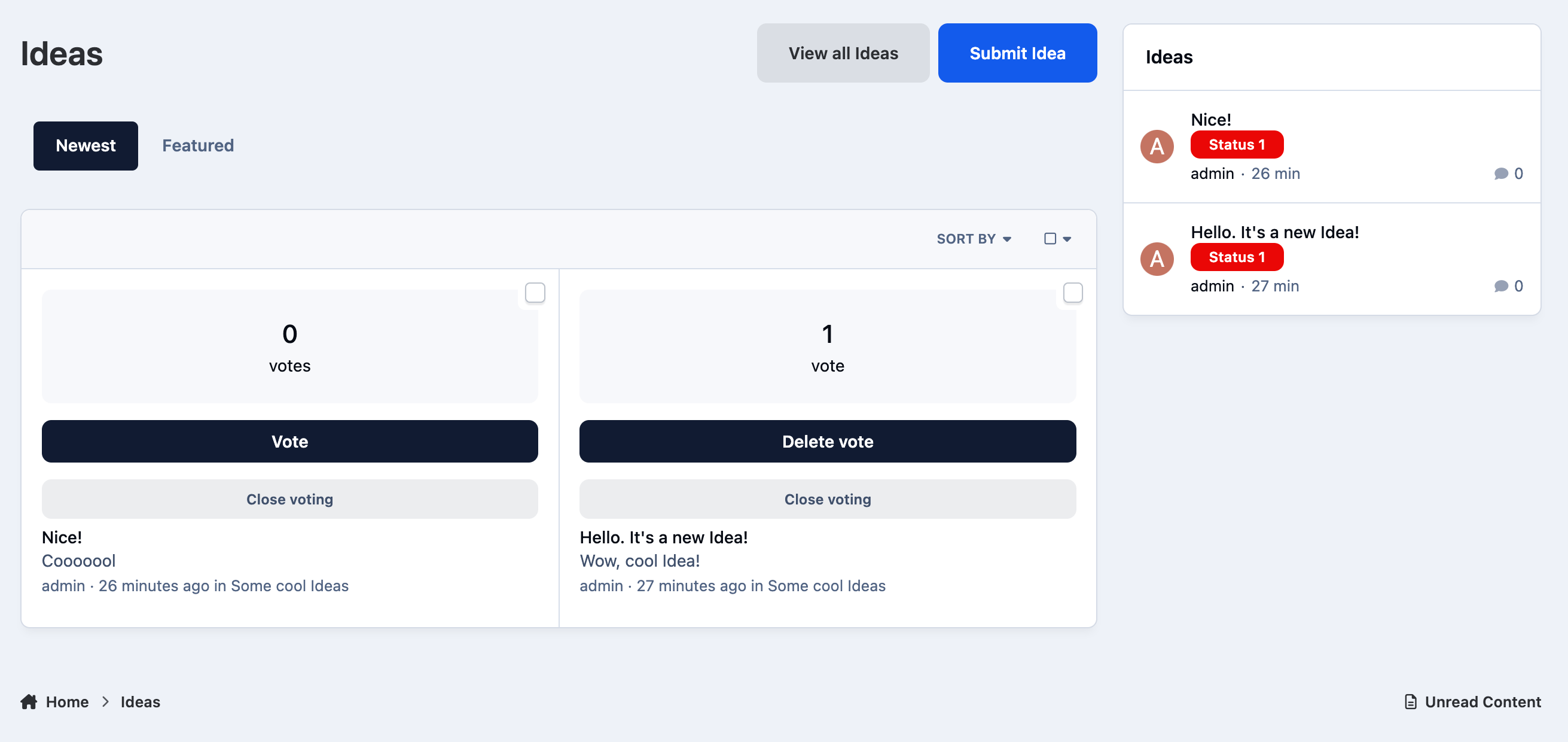
The Ideas app for Invision Community 5 allows your users to add ideas to various categories. Any users can vote to promote the ideas they like. Administrators can mark ideas as completed.

Features:

  • Creating categories.

  • Custom fields in various categories.

  • Displaying fields in two different places: below the title and below the description.

  • Enable / disable the display of the sidebar with categories when viewing an idea.

  • Indexpage Tabs: newest, popular and completed Ideas.

  • Ajax voting for ideas.

  • The ability for administrators to mark ideas as completed.

  • Commenting on ideas.

What's New in Version 2.0.1

Released

Added settings for displaying ideas as grids or lists

Some fixes

User Feedback

You may only provide a review once you have downloaded the file.


Love this app! Really great, super sharp, and easy to use! 👍

Could I suggest one possible improvement? When creating the statuses, can there be an option for selecting the text color for the status? Some badge colors don't work well with the white text.

Thank you for an amazing application! It's definitely worth it.

Account

Navigation

Search

Search

Configure browser push notifications

Chrome (Android)
  1. Tap the lock icon next to the address bar.
  2. Tap Permissions → Notifications.
  3. Adjust your preference.
Chrome (Desktop)
  1. Click the padlock icon in the address bar.
  2. Select Site settings.
  3. Find Notifications and adjust your preference.