Skip to content
View in the app

A better way to browse. Learn more.

Invision Developers

A full-screen app on your home screen with push notifications, badges and more.

To install this app on iOS and iPadOS
  1. Tap the Share icon in Safari
  2. Scroll the menu and tap Add to Home Screen.
  3. Tap Add in the top-right corner.
To install this app on Android
  1. Tap the 3-dot menu (⋮) in the top-right corner of the browser.
  2. Tap Add to Home screen or Install app.
  3. Confirm by tapping Install.
New Invision Marketplace

heebok

Clients
  • Joined

  • Last visited

  1. I made a product and tested it out with 10$, i got the money sent back to me via TRX but the website didn't give the key --
  2. I need to make it so when a customer purchases, they get the product automatically but all Im seeing is
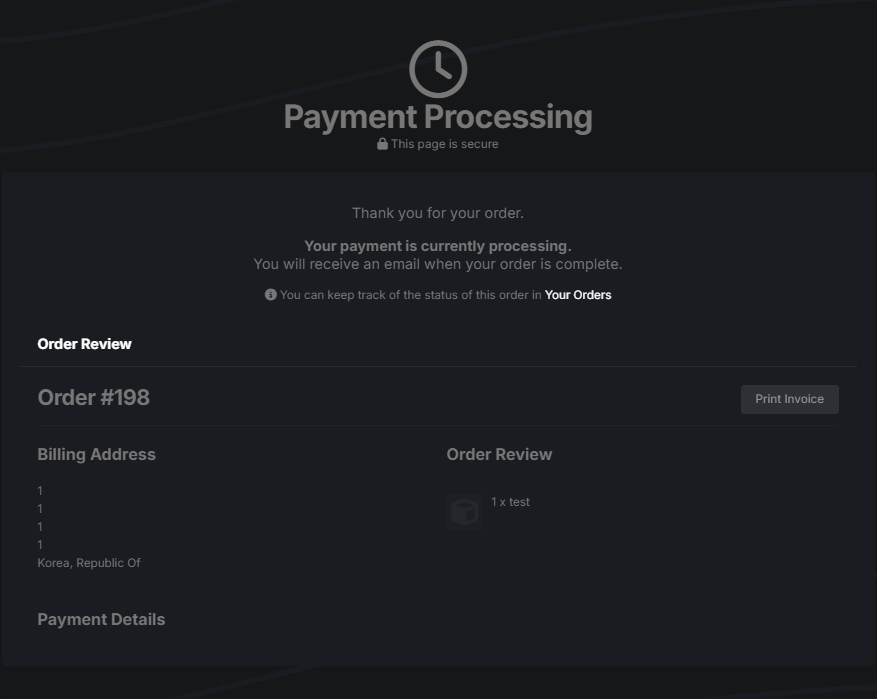
  3. Is there no version for Invision Community v4.7.21 I bought the plugin and it doesn't seem to work for me because of the versions ;-; if not could you send me one what will work for my version, I needed this specific one for kakao pay and korean payments.

Account

Navigation

Search

Search

Configure browser push notifications

Chrome (Android)
  1. Tap the lock icon next to the address bar.
  2. Tap Permissions → Notifications.
  3. Adjust your preference.
Chrome (Desktop)
  1. Click the padlock icon in the address bar.
  2. Select Site settings.
  3. Find Notifications and adjust your preference.

