Free apps for Invision Community 5
15 files
-
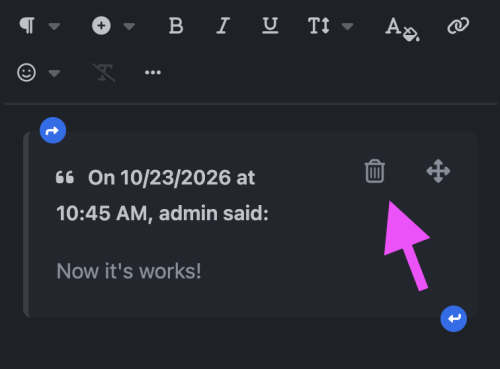
Make quoted replies easier to manage. Remove Quote adds a discreet trash icon to each quote in the editor, allowing members to remove the entire quote with a single click.
The button fits naturally alongside the existing quote controls, with a responsive layout for desktop and mobile screens.
One-click removal of a quote and its contents.
Undo support to restore an accidentally removed quote.
Mobile-friendly controls with comfortable touch targets.
Works with inserted quotes and restored drafts.
A small improvement that makes everyday editing more convenient.- Free
- 4 Downloads
Submitted -
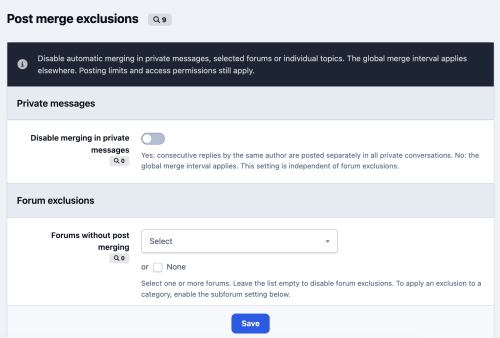
Choose where consecutive replies should remain separate. Post Merge Control lets you disable automatic merging in selected forums, individual topics and private messages, while keeping your community’s global merge settings everywhere else.
Features
Forum exclusions: Disable automatic merging in selected forums.
Subforum support: Extend exclusions to all nested forums, including subforums created later.
Individual topic exclusions: Find topics by title and exclude them independently of their forum.
Persistent topic rules: Topic exclusions remain active when a topic moves to another forum.
Private message control: Disable merging across private conversations with a simple Yes/No setting.
ACP configuration: Manage all exclusions from one settings page.
Supports standard and AJAX replies while preserving existing permissions, moderation and flood control.
Designed for Invision Community 5.0 and 5.1. Exclusions apply to new replies; previously merged messages are not split.- Free
- 4 Downloads
Submitted -
Compatibility: Invision Community 5.1.
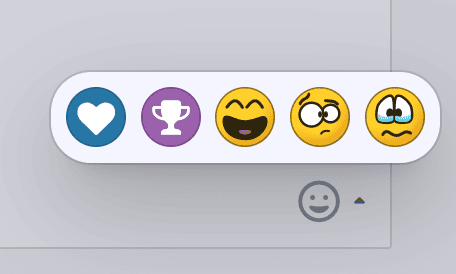
Hover Cards lets members open profile cards and reaction menus by hovering their mouse over them.
It uses Invision Community’s native cards and menus, preserving their familiar appearance, content, and animations.
Features
Profile cards on hover — preview a member’s profile by hovering over their name or avatar.
Adjustable delay — choose how quickly profile cards open. The default is 0.4 seconds; set it to zero for instant opening.
Reaction menus on hover — reveal available reactions without an extra click. Selecting a reaction still requires a click.
Independent controls — enable profile hover, reaction hover, or both.
AJAX support — works with dynamically loaded community content.
Touch support — standard tap behavior is preserved on phones and tablets.
- Free
- 6 Downloads
Submitted -
This application adds indent and outdent functionality to the Invision Community V5 editor, a feature that was previously missing from the native editor.
- Free
- 7 Downloads
Submitted -
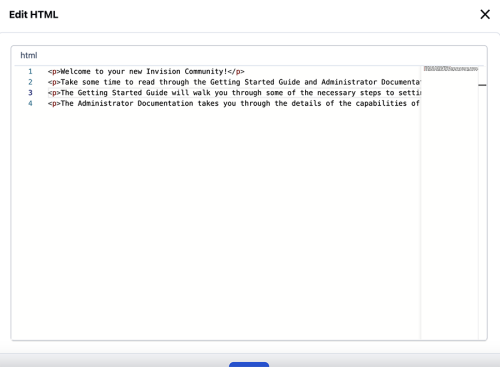
HTML Editor - application allows you to change the HTML code of messages and reviews. Created to replace the outdated Edit HTML of posts.
Possibilities:
Select users/groups (only admins) that can change HTML code.
Enable/disable logging.
Add/remove icon next to the link.
Supports applications:
Pages
Forums
Commerce
Events
Blogs
Personal Messages
Gallery
Downloads
- Free
- 193 Downloads
- 1 Comments
Updated -
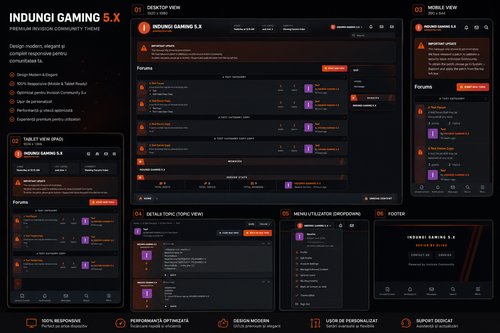
INDUNGI GAMING 5.X
Premium IPS 5 Theme for Invision Community
INDUNGI GAMING 5.X is a premium gaming theme designed for modern esports communities, gaming forums, and competitive platforms powered by Invision Community.
The theme combines a cinematic dark style with orange/red neon accents, creating a clean, aggressive, and professional gaming atmosphere fully optimized for Desktop, Tablet, and Mobile devices.
Main Features
Full IPS 5.x Compatibility
Modern Dark Gaming Design
Fully Responsive Layout
Optimized for Gaming & Esports Communities
Clean & Professional UI
Reorganized and Optimized CSS
Improved Performance
Modern Custom Footer
Redesigned User Dropdown Menu
Custom Forum Row Design
Advanced Last Post Design
Premium Sidebar Widgets
Responsive Mobile Navigation
Modern Search Bar
Smooth Hover Effects
Premium Gradient & Glow Effects
Marketplace Ready Design
Easy Customization
Clean Structure
Visual Style
The theme features:
Cinematic dark backgrounds
Orange / Red glow accents
Modern gaming-inspired UI
Premium rounded elements
Smooth shadows and gradients
High readability and contrast
Elegant and clean layout
Perfect for:
Gaming Communities
Counter-Strike Forums
PUBG Communities
Esports Organizations
Marketplace Platforms
Competitive Gaming Projects
Fully Responsive
Optimized for:
Desktop (1920x1080)
Laptops
Tablets (iPad)
Mobile Devices
Ultra-Wide Screens
The mobile version includes:
Bottom Navigation Bar
Responsive User Menu
Mobile Optimized Footer
Adaptive Sidebar Layout
Optimized Touch Navigation
Custom Elements Included
Forum Design
Custom forum rows
Modern last post cards
Premium category headers
Styled subforums
Animated hover effects
User Interface
Redesigned dropdown menu
Modern buttons
Custom navigation system
Premium sidebar widgets
Responsive profile layout
Footer
Gaming style footer
Custom buttons
Gradient decorations
Responsive alignment
Mobile Experience
Mobile bottom navigation
Optimized mobile spacing
Better readability
Adaptive responsive layout
Optimization
The theme includes:
Optimized CSS structure
Cleaner code
Faster loading performance
Responsive improvements
IPS 5 optimized layout
Compatibility
Compatible with:
IPS 5.x
Forums
Pages
Clubs
Calendar
Downloads
Blogs
Gallery
Commerce
Recommended For
Gaming Servers
Counter-Strike Communities
Esports Teams
PUBG Communities
Competitive Forums
Theme Information
Theme Name:
INDUNGI GAMING 5.X
Designed By:
BLING GFX
Official Website:
INDUNGI.PRO- Free
- 50 Downloads
Submitted -
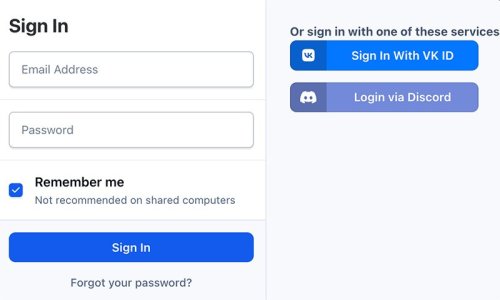
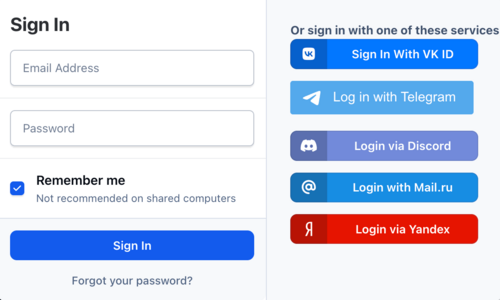
Discord Login - an application that allows your members to register using their own discord account. It can:
Login via Discord account;
Use Discord.com photo as profile photo of registering member.
- Free
- 190 Downloads
Updated -
- Free
- 20 Downloads
Submitted -
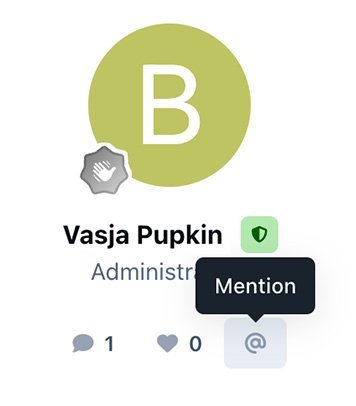
Member mention - application allows you to add a button to mention a user in his message.
App settings
To set up the application, go to Theme editor > Content > Body > Mention.
Here you can choose four button locations:
Author pane (next to the name).
Post controls.
Post user stats
Post user info
- Free
- 169 Downloads
Updated -
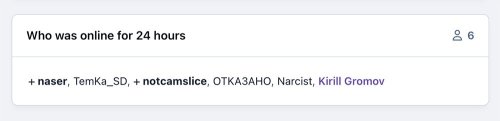
Who was online - widget that adds statistics of users who have been online for the last X hours.
- Free
- 243 Downloads
Updated -
- Free
- 57 Downloads
Updated -
- Free
- 69 Downloads
Updated -
StopForumSpam - application to prevent spammers from registering on the forum. When registering a new user, the application checks the email, IP address and/or username, and if this data is in the spam database of the service https://www.stopforumspam.com/ - it bans the account.
- Free
- 106 Downloads
Updated -
This application allows selected users or groups to change the HTML code of forum posts.
- Free
- 116 Downloads
Updated -
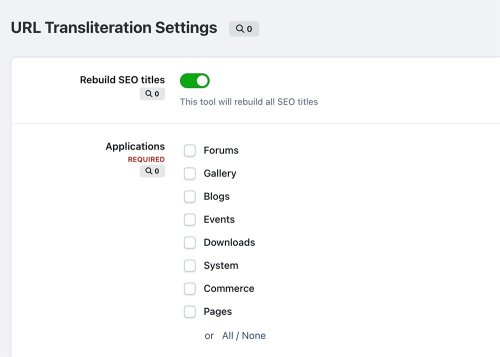
Transliteration - application, which allows you to transliterate non-latin URLs into Latin to improve your community's SEO optimization. You can also add any other symbols.
Supported symbols:
Latin Greek Turkish Russian Ukrainian Czech Polish Latvian- Free
- 76 Downloads
- 6 Comments
Submitted